Case Study · KeyBank Help Chat

Enhancing and extending our core AI agent chat infrastructure to unlock richer functionality and a noticeably more seamless user experience

visual designuser experience

TL;DR: — The Key.com Chat box was a just a mess so a redesign was started and finished in Q4 2018 to Q1 of 2019.

01. Gallery

now that's a glow up

02. Problem

whoa that looks terrible

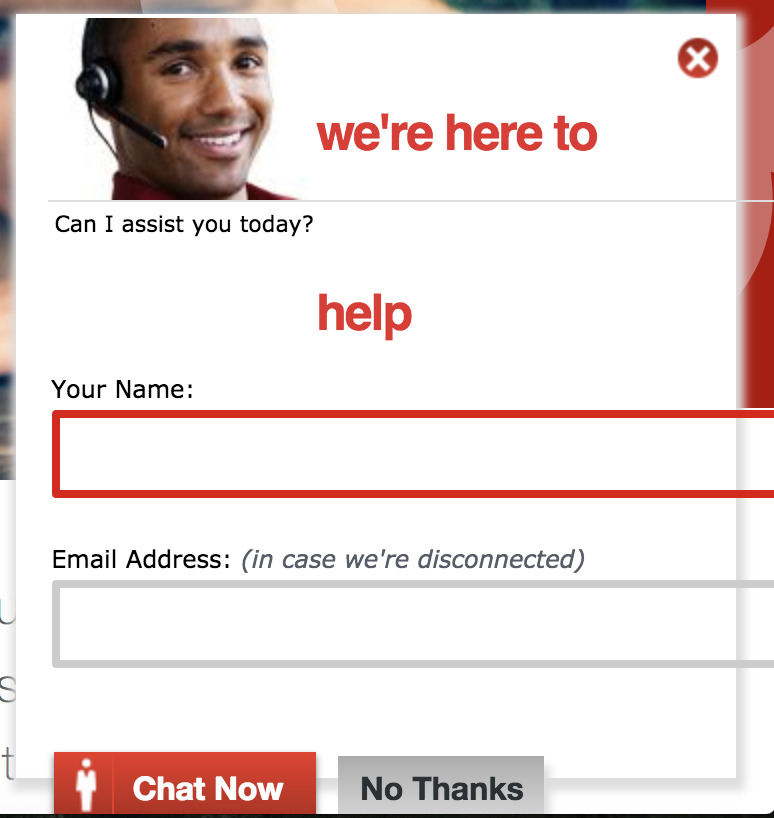
As you can see from the picture, the original chat box on Key.com, which appeared as visitors browsed the site, was quite a mess. The title was split awkwardly across two lines. The stock image felt artificial and generic. The text boxes for Name and Email, along with the buttons and divider line, all hung awkwardly against the inside frame. An outdated glow ran along the edges. Overall, it was clearly due for a redesign.

Surprisingly, the page's HTML couldn't be edited due to technical constraints, only the CSS. That made designing the new chat box more of a challenge, since I had to work within the hard-coded structure of the old one.

03. Fix

whoa that's much better

Deliverables

High Fidelity Mockup
Code

Role

Solo Visual Designer
Junior Front-End Developer

Apps Used

Sketch
Sublime Text
Github

Length

3 Weeks

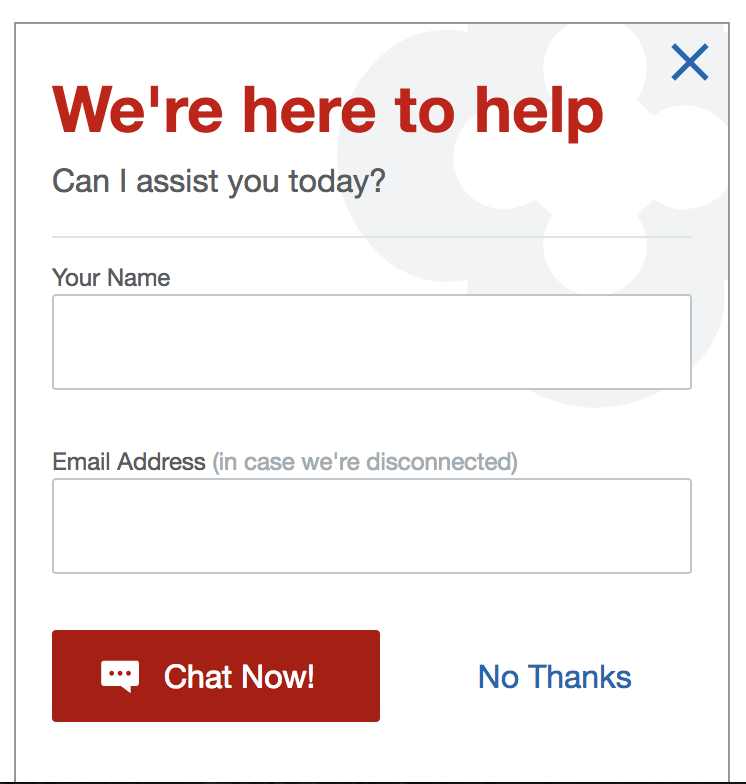
The redesigned chat box is built on the Key Design System used throughout Enterprise Digital, aligning its colors, iconography, typography, buttons, and spacing with the rest of the brand. It feels much more distinctly "Key." The clover in the background echoes an element found throughout online banking and originations applications.

I coded this chat box myself, with guidance and review from my manager on the project, and it was eventually pushed to the live site after testing. The verdict is still out on how it has improved usability in the numbers, but I'm confident that users will find it easier to use than the original.